Blog · Labels
Creating labels for the visually impaired
Millions of people live with low vision, and many more just find small print hard to read. A label that’s easy to read and easy to identify by touch helps every customer, and it shows that a brand thought about them. Here’s how to design labels with accessibility in mind.
Labeltech has printed custom labels in El Paso since 1993. To talk through an accessible label, call (915) 590-8500 or request a quote.
Why accessible labels matter
A customer who can’t read your label can’t tell your product from the one next to it, or find the directions and warnings. Clear labels reduce mistakes with medicine, cleaning products and food, and they make your packaging better for everyone, not only people with low vision.
Design for low vision
Use large print
Make the product name and the most important information big enough to read at arm’s length. Avoid tiny condensed fonts for anything that matters.
Choose high contrast
Dark text on a light background, or the reverse, is easiest to read. Avoid text over photos or patterns, and pairs like red on green.
Keep a simple layout
Put the same information in the same place on every product in a line. Customers learn where to look.
Pick a readable typeface
Plain sans-serif fonts with open letters read best. Save decorative scripts for small accents.
Mind the finish
Gloss can glare under store lights. A matte laminate cuts reflection and makes text easier to read. See finishes.
Go beyond print
Tactile features
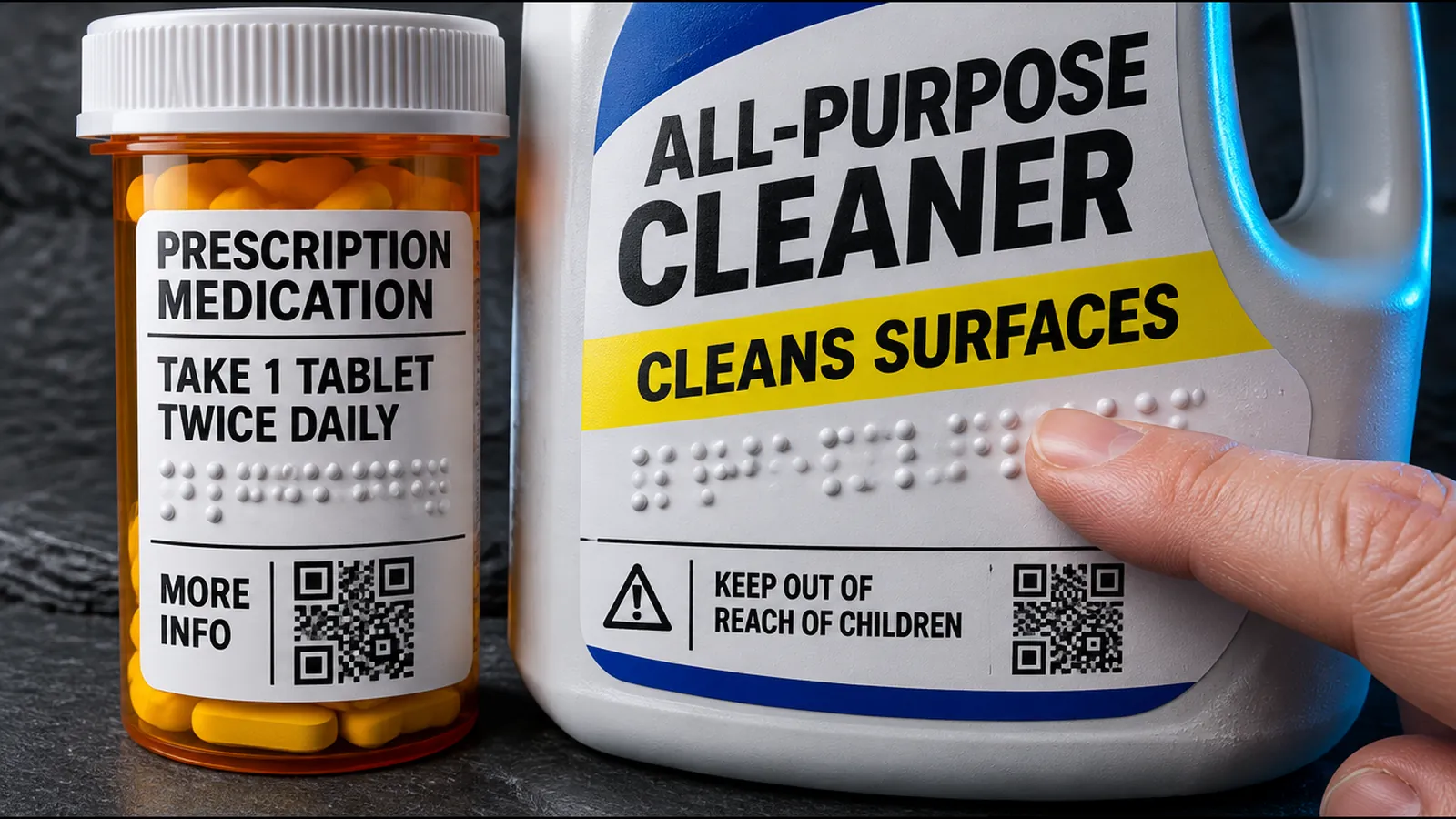
Raised features, like an embossed shape or mark, help customers tell products apart by touch. Ask us what’s possible for your label.
Shapes and colors as codes
A different label shape or color band for each variety helps people who can see shapes but not small text.
QR codes
A QR code can link to a page that a phone reads aloud, with the full directions, ingredients and warnings. Every label can carry its own code with variable data.
For example, a pharmacy can print its bottle labels with the medicine name in large bold type, a matte finish to cut glare and a QR code that links to spoken instructions.
Want to make your labels easier to read? Call (915) 590-8500.
Check before you print
- Print a test at real size and read it from arm’s length in normal light.
- Ask someone with low vision to try it.
- Review the proof. Every Labeltech job gets one before it prints.
Custom labels in El Paso
For custom labels in El Paso, call (915) 590-8500 or request a quote.